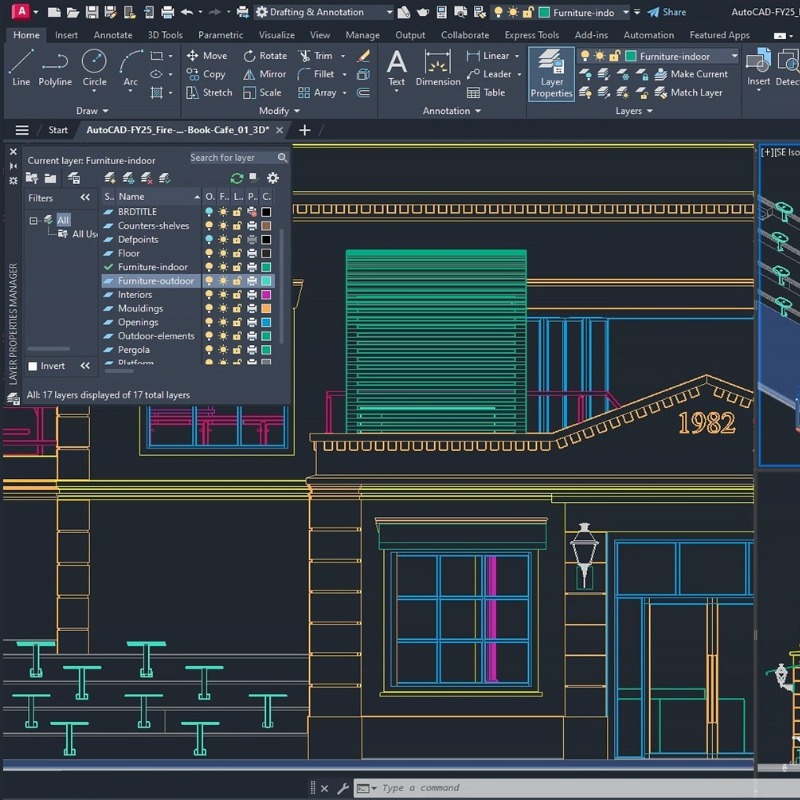
AutoCAD Architecture 2025 is built on the foundation of AutoCAD 2025 and includes specialized tools for architectural design and documentation. It focuses on boosting productivity and streamlining workflows for architects. Here's a breakdown of the key features, combining general AutoCAD 2025 features with Architecture-specific ones:
Core AutoCAD 2025 Enhancements (Inherited by Architecture):
- Autodesk AI:
- Autodesk Assistant: AI-powered contextual help.
- Smart Blocks: Significant improvements to block management:
- Placement: Automatic block placement based on past usage.
- Replacement: Quick finding and swapping of blocks.
- Search and Convert: Enhanced object-to-block conversion.
- Object Detection (Tech Preview): AI-driven object recognition for block workflows.
- Markup Workflows:
- Markup Assist Updates: Improved handling of imported markups.
- Markup Import from Autodesk Docs: Direct import of markups from Autodesk Docs.
- Trace: A non-destructive way to review and provide feedback on DWG files.
- Activity Insights: Detailed tracking of design activities for better collaboration and project management.
- Enhanced Visualization and Geographic Data Integration: Visualization improvements and better integration with geographic data.
- Hatch Improvements: Enhancements to hatch patterns and management, including drawing hatching without predefined boundaries using the HPPATHWIDTH variable.
- ArcGIS® Basemaps: Access to ArcGIS basemaps for real-world context.
Architecture-Specific Features:
- Walls, Doors, and Windows: Intelligent objects with real-world behavior and parameters.
- Architectural Object Libraries: Extensive library of architectural components (walls, doors, windows, etc.)
- Automated Documentation: Automatic generation of elevations, sections, and schedules.
- Space Planning: Tools for defining and analyzing spaces within a building.
- Building Renovation: Tools to manage and document renovation projects.
- Room Tagging and Scheduling: Automatic tagging and scheduling of rooms.
- Construction Documentation: Tools for creating construction drawings and details.
How these features benefit Architectural workflows:
- Increased Productivity: Automated tools for generating documentation, scheduling, and other repetitive tasks save significant time.
- Improved Accuracy: Intelligent objects and parametric design help reduce errors and ensure consistency.
- Better Collaboration: Features like Markup Import and Activity Insights facilitate better communication and coordination among project stakeholders.
- Streamlined Design Process: Specialized tools for space planning, building renovation, and other architectural tasks streamline the design process.\
The minimum system requirements for AutoCAD Architecture 2025 are very similar to those of base AutoCAD 2025, with some emphasis on factors important for architectural workflows. Here's a breakdown:
For Windows:
- Operating System:
- 64-bit Windows 11
- 64-bit Windows 10 (version 1809 or later)
- Processor:
- Basic: 2.5-2.9 GHz processor with 8 logical cores (base). ARM processors are not supported.
- Recommended: 3+ GHz processor (base), 4+ GHz (turbo) - Important for handling larger architectural models.
- Memory (RAM):
- Basic: 8 GB
- Recommended: 32 GB - Crucial for working with complex building models and large datasets.
- Display Resolution:
- Conventional Displays: 1920 x 1080 with True Color
- High Resolution & 4K Displays: Resolutions up to 3840 x 2160 (with a "Recommended" display card)











 Nuance Software

.png)



Login To Comment